Microsoft Dynamics 365 Customer Service
Unified Case Management for Growing Canadian Businesses
Every customer conversation — phone, email, chat, and social — in one workspace, with the case history and context your team needs to resolve it the first time.

What Is Dynamics 365 Customer Service?
Dynamics 365 Customer Service is Microsoft’s cloud platform for case management and customer support. It brings every channel — phone, email, live chat, and social — into a single agent workspace, so cases get resolved without agents hunting across five different tools for context.
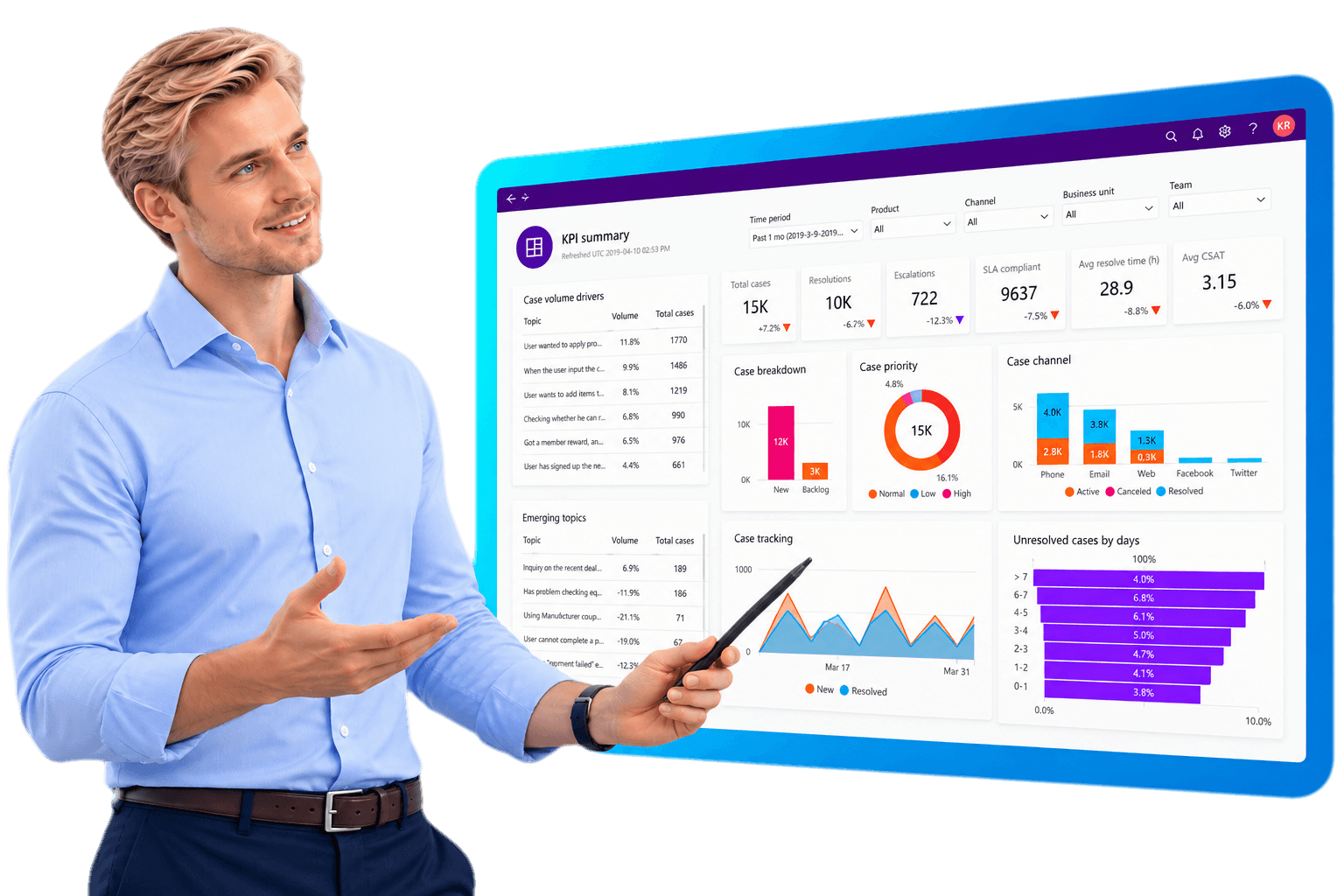
Built-in Copilot and AI surface suggested responses, similar past cases, and knowledge articles while an agent is still on the call, and service managers get real-time visibility into case volume, SLA compliance, and team performance without waiting on a monthly report.
GeniusX Tech is a certified Microsoft partner based in Brantford, Ontario. We implement Dynamics 365 Customer Service, and we stay with you after go-live.
Single System for Every Customer Interaction
Dynamics 365 Customer Service is built around how your teams actually work. Here's what that looks like role by role.
Customer Service Agents
- A single workspace with case history, customer context, and communication threads in one screen
- Suggested responses and knowledge articles surfaced while the case is still open
- Queue and priority management, so urgent cases surface first
- Screen pop with full customer context on every inbound call
Sales Teams
- Shared customer record between sales and support, so handoffs don't lose history
- Visibility into open support cases before a renewal or upsell conversation
- Warranty and entitlement data available at the point of sale
- Fewer “let me check with support” delays on active deals
Marketing Teams
- Case and satisfaction data feeding directly into segmentation and campaign targeting
- Early warning on service issues before they become churn
- Customer sentiment visible without requesting a report from support
- One customer record shared with sales and service, not a separate marketing silo
Service Manager
- Real-time dashboards on case volume, backlog, and SLA compliance
- Agent performance and workload visibility without manual tracking
- Escalation rules that route the right case to the right person automatically
- Staffing forecasts based on actual case volume trends
Field Service Teams
- Case-to-work-order handoff without rekeying customer or asset information
- Technician scheduling based on skill, location, and availability
- Mobile access to case history and asset records on site
- Closed-loop reporting back into the original case
IT and Operations
- Role-based security so agents see only what their job requires
- Configuration and workflow changes without custom code for most scenarios
- Native integration with Microsoft 365, Teams, and the Power Platform
- Audit trail on every case change for compliance and quality review
What Customer Service Actually Does
These are the things that make it a support operating system, not just a shared inbox with extra steps.
Customer Case Handling
Every case tracked from first contact to resolution, with full history, related cases, and customer context in one record instead of scattered across email threads and sticky notes.
Smart Case Assignment
Cases route automatically based on skill, workload, and priority, so the right agent gets the right case without a manager triaging the queue by hand.
Omnichannel Support
Phone, email, live chat, and social channels feed into the same workspace, so a conversation that starts on chat and finishes on a phone call doesn't lose its history.
Copilot and AI
Copilot drafts responses, summarizes long case threads, and surfaces similar resolved cases, so agents spend less time typing and more time solving the actual problem.
Multi-device Access
Browser, desktop, and mobile, with the same case data in all three, so an agent working from home has exactly what they'd have at their desk.
SLA Management
Service level agreements are tracked automatically against each case, with escalation triggered before a deadline is missed, not after a customer complains.
Knowledge Management
A searchable knowledge base that agents and customers can both use, so the same question doesn't get answered from scratch every time it's asked.
Analytics and Reporting
Built-in dashboards on case volume, resolution time, CSAT, and team performance, without exporting data to a spreadsheet to build the report yourself.
How GeniusX Gets You There
Getting Customer Service right is less about the software than about who is beside you while you do it.
End-to-End Implementation
We map how your support team actually handles cases today, configure Customer Service around it, migrate your case history, train your agents, and take you live.
Integration and Connectivity
Customer Service connects to the systems you already run — your ERP, phone system, live chat widget, and Microsoft 365 — so agents aren't switching tabs to find basic information.
Consulting and Advisory
Not sure whether Customer Service is the right fit, or which channels to launch with first? We assess your current support operation and give you a straight recommendation.
Data Migration
Moving off a legacy helpdesk, a shared inbox, or a spreadsheet-based ticket log? We migrate your case history so your team keeps the record it depends on.
Support and Maintenance
After go-live we're still here. Our team works Eastern Time, so when something needs attention you aren't waiting overnight for a reply.
Customization and Development
When Customer Service doesn't do something your business genuinely needs, we build it as a proper extension, documented and built to survive Microsoft's update cycle.
Industries We Serve
Support workflows, SLA expectations, and escalation paths look different by sector. We configure Dynamics 365 Customer Service around how your industry actually operates.
Frequently Asked Questions
Ready to see what Customer Service can do for your business?
Book a call with a GeniusX consultant. We'll listen to how your business runs, ask the questions that matter, and give you a clear picture of what an implementation would actually involve.
- info@geniusxtech.com
- Phone
- +1 (519) 778-8901
- +1 (519) 778-8901
- Location
- Brantford, Ontario, Canada